
Recommended purchases for student learning
https://regional-training.org is using raspberry pi supply for training. These are very cost effective single board computers (SBC) that have high utility. The raspberry pi series provides a GPIO pin header that accepts various pHAT and jumper wires enabling the construction and computer control of projects.
Here are some useful supplier links. Please note that supply is very limited, and that it is restricted to one SBC per purchase per household per month (prices were correct at time of writing).
SBC/controllers
pi 4
 Note: swap to the 3 individual heatsink so the official fan will fit the case |
 |
 |
 $7.98 https://core-electronics.com.au/raspberry-pi-case-fan.html |
- $175 https://core-electronics.com.au/raspberry-pi-4-starter-kit-4gb-49423.html[1][2]
- ?$ build own kit[3] https://core-electronics.com.au/raspberry-pi-4-model-b-2gb-kit-only.html
- $235 4G (vs $202 2G) has a nice aluminium heat-sink case though and works fine (but WiFi signal is degraded) https://raspberry.piaustralia.com.au/products/raspberry-pi-starter-kit[4]
Useful core-electronics Accessories to satisfy the 4 check-out requirements in build-your-own-kit (of which there are several variant 4B+ models):
- https://core-electronics.com.au/raspberry-pi-4-case-red-white.html
- https://core-electronics.com.au/raspberry-pi-4-official-power-supply-usb-c-5v-15w-white.html
- https://core-electronics.com.au/catalogsearch/result/?q=pi+mouse
- https://core-electronics.com.au/raspberry-pi-keyboard-red-white.html
When internal heatsinks are used in the official pi 4 case we suggest that an official fan be purchased. The official fan will only fit if the smaller heatsinks are used.
- $7.98 https://core-electronics.com.au/raspberry-pi-case-fan.html
- $6.50 https://raspberry.piaustralia.com.au/products/official-raspberry-pi-4-case-fan-and-heatsink
The aluminium heat-sink cases from the Little Bird kit is nice, and we assume the alumium cases with fans would be nice too - however we have not seen these in person and cannot attest as to whether WiFi is blocked by the metal cases that supports fans. The aluminium case used in the LittleBird kit has a slot and the WiFi seems to leak out through the gap between the PCB and the case and was working to some extent it was degraded (but we switched to a wired-connection for the rest of the lessons).
pi400
There are some pi400 kits, the pi400 is a larger form-factor pi embedded in a keyboard. The GPIO arrangement is in the backshell of the keyboard.
- $160 https://raspberry.piaustralia.com.au/products/raspberry-pi-400-with-pico-kit - this has a pico and other goodies bundled in the pi400 kit
- $152 https://core-electronics.com.au/raspberry-pi-400-kit.html
 |
 |
The pi400 is cute, and it would be a useful desktop for those students that want to explore software.
Unless there is an adapter for the GPIO it will be difficult for students to use this for any lessons or projects that require GPIO access. But, there are two local suppliers for adapters:
- https://core-electronics.com.au/pimoroni-flat-hat-hacker.html
- https://raspberry.piaustralia.com.au/products/raspberry-pi-400-gpio-header-adapter-header-expansion

The raspberry pi Australia supplied one seems to plug into the pi400 with the extension board horizontal, and the new core-electronics supplied one does as well (unlike their initial one). I would preferentially purhcase a horizontal extension board that reorganises the header pins so pHAT do not overlap the pi400 keyboard.
 |
 |
The pihut adapter has the header pins setup so any pHAT goes away from the keyboard, I would recommend purchasing the horizontal adapter type.

I just took receipt of a pi400 on 2022-08-13 and tested it with YouTube and it did not even break a sweat; further it was only slightly warm.
other raspberry pi SBC
There are pi zero W and pico W PCB that we find interesting too.
Of note is the new release of a pico W that is a microcontroller with WiFi on the PCB. These devices will be very handy for mini-projects and the Internet of Things (IoT).
There will soon be lesson material that can use the pico, and pico W. So its not a waste of time to purchase any of these units if you have an opportunity. (Note a regular pico kit came with the pi400 bundle from Raspberry pi Australia - we will be concentrating on the pico W since it has a higher utility.)
pi Zero W
There is currently no stock of pi Zero W in Australia at neither core electronics nor raspberry pi australia (at the time of writing).
For some projects the pi zero W will be a preference due to its compact size where the power of a pi 4 is not required.
pico W

There are now some stock of pico W in Australia. The pico W has WiFi making it useful to network for IoT projects.
- pico W https://core-electronics.com.au/raspberry-pi-pico-w-wireless-wifi.html
- pico WH https://raspberry.piaustralia.com.au/products/raspberry-pi-pico-wh-and-microusb-cable
- pico W https://raspberry.piaustralia.com.au/products/raspberry-pi-pico-w

devices
We are interested in the following peripherals and devices.
SPI
Useful SPI adapters:
- sdcard reader module
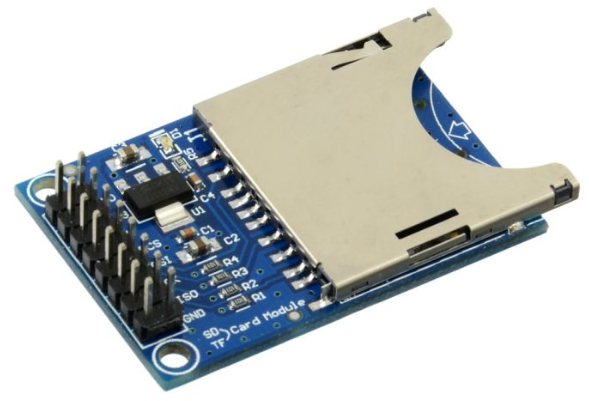 https://core-electronics.com.au/sd-card-module.html
 - enc28j60 ethernet module
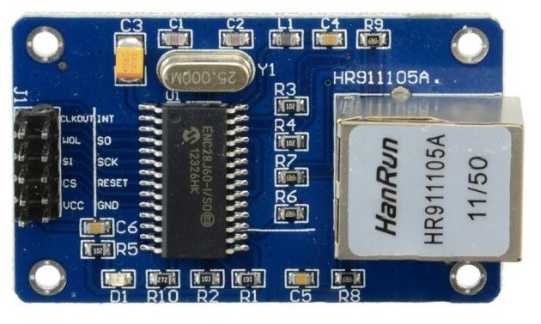 https://core-electronics.com.au/enc28j60-ethernet-lan-network-module.html
 - pico ethernet HAT
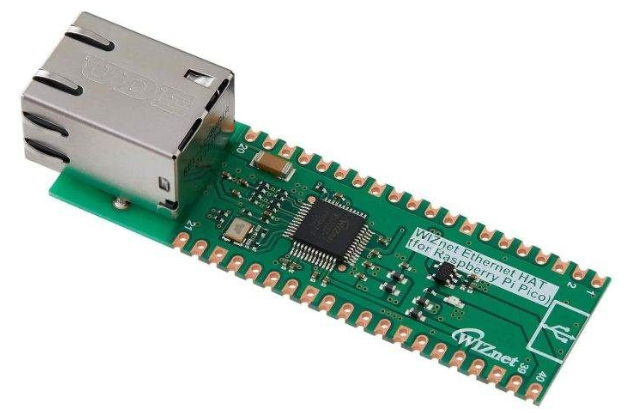 https://core-electronics.com.au/wiznet-w5100s-ethernet-hat-for-raspberry-pi-pico.html


I2C
TBA We have not reviewed these yet:
- $9.95 Serial decimal digits
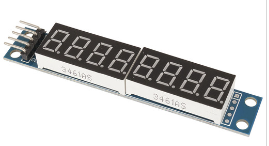 https://www.jaycar.com.au/8-digit-7-segment-display-module/p/XC3714
- $25.40 serial decimal digits and colon
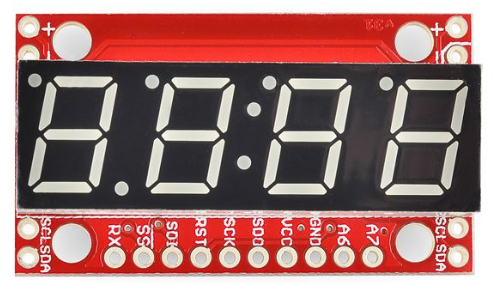 https://core-electronics.com.au/7-segment-serial-display-blue.html


- also supports SPI
displays
- $5.95 4 x 7-segment 20 mm white display matrix (not serial)
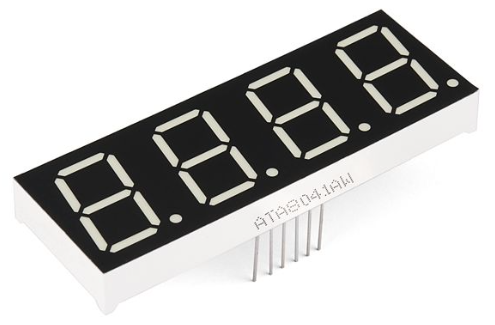 https://core-electronics.com.au/7-segment-display-20mm-white.html
- pico 3.5 inch https://raspberry.piaustralia.com.au/collections/raspberry-pi-pico/products/3-5inch-touch-display-module-for-raspberry-pi-pico-65k-colours-480-320-spi

storage containers
We recommend the following type of storage containers for the raspberry pi 3 / 4, pi zero W and pico equipment (because these small containers are robust and waterproof and suited to school bags):
- sistema plastic containers with catches


We found the following outlets:
- https://www.bigw.com.au/brands/sistema
- https://www.catch.com.au/search?query=sistema&search_src=topbar&ac=0
I also use systema containers to store my test equipment, such as the NanoVNA, where I placed and shaped sytrofoam packaging to stop the instrument from rattling.
laptops
Of course a laptop would come in handy, and if you have some old laptops - if not too old - we can provide some instructions on how to install Debian or Ubuntu on them. Having a Linux workstation will make it easier to image and backup raspberry pi sdcard images.
Of course a Microsoft Windows laptop could be used to run the raspberry installer Lesson:raspberry_pi_OS but we will be teaching Linux and not Microsoft Windows OS. If you have a spare old laptop we would like our students to re-purpose it and learn Linux along the way.
Also, some software lessons can be undertaken on a laptop instead of a pi/pi400, but projects that depend on GPIO interfacing and bread-boarding cannot.
If you have a spare laptop then grab it as it will be useful for VTC, browsing and other things during raspberry pi development. We recommend not throwing old laptops out, because often times they can be re-purposed and kept running for a few more years with Linux. It is also possible to open them up and replace batteries and the hard-drive.
A useful thing is to replace the OEM supplied hard-drive (HDD) with an SSD. Here are some with reasonable prices that I found:
- https://www.ple.com.au/Products/630704/Crucial-MX500-1TB-SATA-25-7mm-SSD
- https://www.ple.com.au/Products/646696/Crucial-BX500-2TB-SATA-25-SSD
It is not hard to justify re-purposing a laptop that is out of warranty and running too slow under Windows.
See re-purpose a laptop instructional.

notes
- ↑ note: please swap single-piece heatsink for 3 individual heatsinks so the raspberry pi official fan will fit in the official case
- ↑ note there is no fan in this kit
- ↑ Note: for core-electronics build-your-own-kit that you need to purchase 3 accessories before check-out will proceed
- ↑ note this kit has an aluminium heatsink and can't accept a fan, but we have tested that WiFi works